Free Windows Desktop App

Download VidSail 2.0.0 for Windows

Download supported online media, manage batches and queues, convert local video and audio files, and maintain VidSail’s four external media engines from one modern Windows desktop app.

Free to use. No advertising, subscription fee, activation key or paid feature restriction.

  • Windows 10 and Windows 11 64-bit
  • Free and ad-free
  • SHA-256 verification
  • Application and engine updates
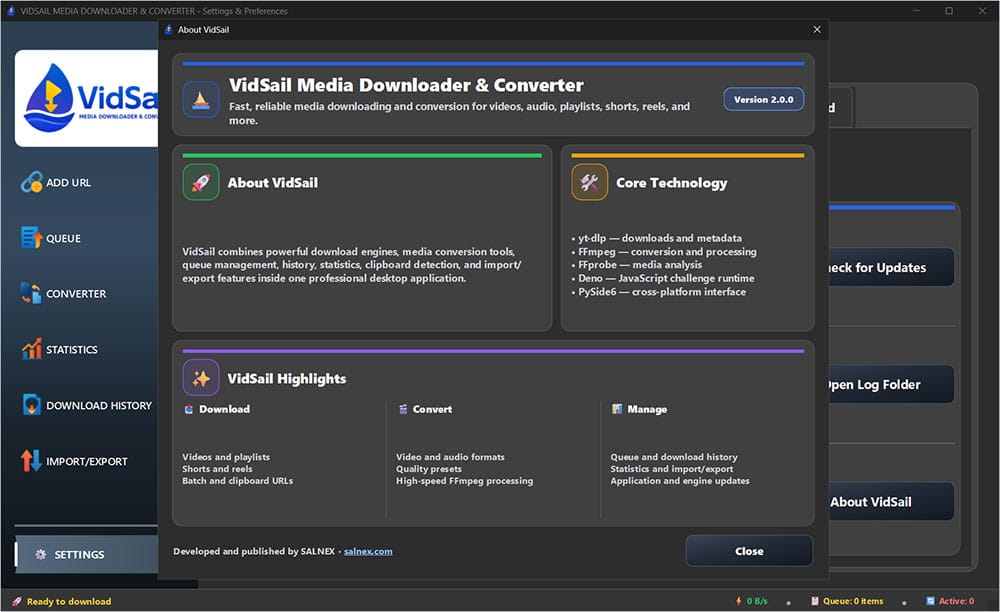
settings-about-vidsail-dark

Choose Your VidSail Platform

ittech

Important — Keep VidSail Engines Updated

After installing or running VidSail for the first time, install any available engine update when prompted. You can also check manually at any time from:

⚙ Settings → Engines → Update Engines

Media websites can change without notice, so keeping yt-dlp, FFmpeg, FFprobe and Deno current helps maintain download and conversion compatibility.

ittech

VidSail for Windows

VidSail 2.0.0 for 64-bit editions of Windows 10 and Windows 11.Download the ZIP package, extract it, and run the included MSI installer.

🔒 Verify Your Download

Compare the SHA-256 value below with the downloaded vidsail_windows.zip package before installation.

Official SHA-256 checksum abb617a92eeb3ddc30bb24fb534776e61d8881a0a62641dc81257266a8a0d1a8 PowerShell verification command The .\ means: this current folder for example:
"C:\Users\name\Downloads\vidsail_windows.zip" change this part depending on your file location.
Get-FileHash ".\vidsail_windows.zip" -Algorithm SHA256

The value returned by PowerShell must exactly match the official checksum shown above. Do not install the package when the values differ.

ittech

VidSail for Linux

VidSail 2.0.0 for 64-bit Linux systems.
Choose the DEB package for Ubuntu, Linux Mint, and compatible Debian-based systems, the RPM package for Fedora, AlmaLinux, and compatible RPM-based systems, or the AppImage package if you prefer a portable version that can run without installation.
Download the ZIP package and extract it. For DEB and RPM, install the included package. For AppImage, make the file executable if required, then run it.

🔒 Verify Your Linux DEB ZIP File

Compare the SHA-256 value for the Linux package you downloaded before extracting or installing it.

DEB package — vidsail_linux_deb_x64.zip cf90d06c664b01a7d8ee3807a74b5895ddf00bd1ebdef66730b4fa0ffa285b22 DEB verification command sha256sum "./vidsail_linux_deb_x64.zip"

🔒 Verify Your Linux RPM ZIP File

RPM package — vidsail_linux_rpm_x64.zip 6551e84a2e0adde506969a2d4509b86cfe1db29b06d992b36567d38cf215cee0 RPM verification command sha256sum "./vidsail_linux_rpm_x64.zip"

The SHA-256 value returned by the command must exactly match the official checksum shown for the package you downloaded. Do not install the package when the values differ.


🔒 Verify Your Linux AppImage ZIP File

AppImage package — vidsail_linux_appimage_x64.zip f6c7b817e41abe7ea2f958517215ea221c20a6f66161e8b75c4f383958e5a492 AppImage verification command sha256sum "./vidsail_linux_appimage_x64.zip"

The SHA-256 value returned by the command must exactly match the official checksum shown above. Do not extract or run the package if the values differ.

▶️ Run VidSail AppImage

After verifying and extracting the ZIP file, open a terminal in the folder containing the AppImage and make it executable:

chmod +x "./VidSail-2.0.0-x86_64.AppImage" Then start VidSail: "./VidSail-2.0.0-x86_64.AppImage"

AppImage does not require installation. You can keep the file in any folder you prefer and run VidSail directly from it.


ittech

VidSail for macOS (coming soon)

Native support for Intel & M1/M2 Macs.dmg installer planned
🟡 Currently in development